JBL PartyBox
- 4.8
- Rating
- 5.00M
- Installs
- Free
- Price

 Analysis by App-foxy
I noticed JBL PartyBox is not trying to be a general music player. It is a companion app for a particular family of JBL speakers, and that distinction matters immediately. If you own a compatible PartyBox, the app can make the speaker feel less like a one-purpose Bluetooth box and more like something you can adjust for different moments. If you do not own one of those speakers, there is little reason to keep it installed.
I tested it with the mindset of someone deciding whether an app deserves a permanent place on a phone, rather than merely enjoying the excitement of a new speaker during its first evening. The first impression is appealing because the app puts speaker controls, sound adjustments, and party-oriented settings in one place. The more important question is what remains useful after the novelty fades. My answer is positive, but conditional: it earns lasting value when you regularly change how you use your PartyBox, while occasional listeners may eventually return to ordinary Bluetooth controls.
What the app is really for
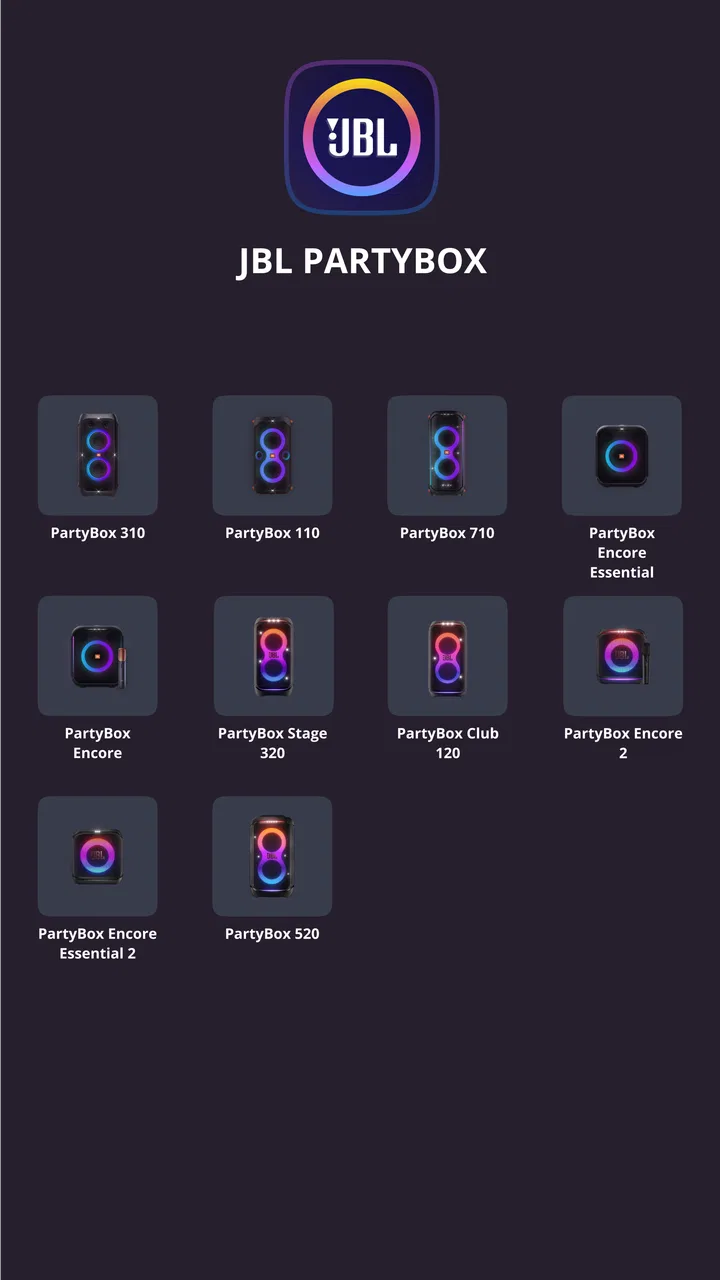
This free Music & Audio app comes from Harman Consumer, Inc. and supports the PartyBox 110, 310, 710, 120, 320, 520, Encore, Encore 2, and Encore Essential 2. That broad compatibility is convenient for households or groups with different speakers, although the experience naturally depends on which model is connected. The app is aimed at Everyone, runs on Android seven or later, and its current version is 3.12.20.
You May Also Like

 Blood Strike: 2.5 Anniversary
Blood Strike’s Loadouts Turn Every Drop Into a Tactical Gamble
A close look at Blood Strike’s custom loadouts: how fast access to signature weapons reshapes its battle royale rhythm, rewards preparation, and narrows the gap between fights.

 Pandora - Music & Podcasts
Pandora’s Music Is Easy to Start, but Harder to Recover
Pandora’s strength is its low-effort path from a seed to a station. Its weak spot is how much confidence it asks you to place in connection, setup, and quiet recovery.

 8 Ball Pool
 Is Built on Rivalries, Rematches, and Routine
A close look at the rivalries, rematches, shared routines, and unanswered safety questions that turn a quick pool match into a persistent mobile community.

 Samsung Music
’s Quiet Strength Is Playing What You Already Own
Its reach comes less from spectacle than from dependable access to a personal library. That simplicity is both the app’s strongest retention engine and its ceiling.

 AccuWeather: Weather Radar
AccuWeather Review: A Quick, Clear Forecast for Everyday Decisions
For everyday plans, the best forecast is the one you can understand quickly. AccuWeather makes rain timing, radar, and local conditions easy to act on, with a few trade-offs.

 Hill Climb Racing
Why Hill Climb Racing Still Turns Crashes Into One More Run
A tiny car, a bumpy hill and one more upgrade: Hill Climb Racing keeps resurfacing because its simple chaos makes every near-miss feel personal.
More From Our News Desk



Its popularity is easy to understand: it has passed five million installs and holds a 4.9 average from around 151 thousand ratings, with about two thousand written reviews. Those figures suggest that many owners find it useful, but they do not mean every PartyBox owner needs it every day. A high rating can reflect a smooth setup experience or satisfaction with basic controls, while long-term usefulness depends on your habits.
The app does not replace a streaming service. I still use the music app of my choice to select albums, playlists, podcasts, or radio. Instead, this is a control layer for the speaker. That separation is one of its strengths. I can leave playback in the usual app and use JBL PartyBox to shape the physical listening experience without hunting through unrelated menus.
The first week is where it feels most valuable
During the first few sessions, I found myself opening it often. A new PartyBox invites experimentation: different rooms, different listening levels, and different kinds of music all make the default sound feel temporary. The app gives me a practical way to adjust the speaker instead of accepting one fixed presentation.
The first useful habit is to connect the speaker before the gathering begins, not while people are already waiting for music. Bluetooth pairing itself may be familiar, but a party is a poor time to troubleshoot a device, update an app, or decide which phone should control playback. I prefer to establish the connection at home, check the controls, and then treat the app as a backup control surface rather than the only way to operate the speaker.
That workflow also reveals an important trade-off. The app is most helpful when I am near the speaker and actively changing its behavior. It is less compelling when I only want to press play from across the room. In that situation, the phone’s normal media controls are faster and require less attention.
For a small gathering, I use the app to prepare a sound profile before guests arrive. I listen briefly at the actual volume I expect to use, because a setting that sounds pleasant quietly may feel too forceful when the speaker is working harder. This is a more reliable approach than adjusting everything during the first song of the evening.
For casual home listening, the benefit is subtler. I might connect the PartyBox while cleaning, cooking, or spending time outdoors, then leave the app closed once the sound is right. That is a good sign for long-term design: the app does not need to remain open constantly to justify its installation. It can be a setup and adjustment tool rather than another screen demanding attention.
Useful changes beyond the initial novelty
The strongest reason to keep the app is repeatable control over different listening situations. A PartyBox used in a living room, on a patio, and at a social event is not really serving the same purpose in each place. Room reflections, background noise, and listening distance change what feels balanced. I would not expect one permanent setting to work equally well everywhere.
One practical tip is to make small changes and listen for a full song before changing something else. Large adjustments can make the result exciting for a moment but tiring over a longer session. I prefer to treat the app as a tuning tool, not a collection of effects to turn up simply because they are available. That approach helps the speaker remain enjoyable after the first-week excitement.
Another useful workflow is to give the phone and speaker roles that do not conflict. I use my normal music app for the queue, volume, and track selection, then use the PartyBox app for speaker-specific adjustments. When several people want to choose music, this division prevents the speaker-control app from becoming the center of the whole gathering. It also reduces the chance that someone changes a sound setting accidentally while trying to skip a track.
The app is also more useful for owners who switch between personal and social listening. Someone who only plays music from one phone at one volume may rarely need it after setup. Someone who moves the speaker between rooms or regularly hosts friends has a clearer reason to return. That difference is central to my judgment: the value comes from repeated changes in context, not from opening the app for its own sake.
Month-to-month value depends on your routine
After the initial excitement, I judge an app by whether it solves a recurring problem. Here, the recurring problem is not “how do I play music?” Bluetooth already handles that. The recurring problem is “how do I make this compatible speaker feel right for what I am doing now?” For me, that remains a legitimate use case.
Over a month, I can imagine three kinds of owners. The first uses a PartyBox as a mostly stationary speaker. That person may set it up once, make occasional adjustments, and then rely on the phone’s standard controls. The app is still worth having for those occasional moments, but it may not become part of a daily routine.
The second owner moves the speaker frequently. This person gets more value because each location can call for a different approach. A room with hard surfaces can feel very different from an open outdoor area, and background noise can change how much detail is easy to hear. The app makes those changes less frustrating than relying on memory or repeatedly guessing.
The third owner treats the PartyBox as a social device. For this user, the app is useful before and during events, especially when the speaker is being used for different moods across an evening. The key is preparation. I would adjust the speaker before guests arrive, keep the phone available for music selection, and avoid turning every setting into a group decision.
That last point is important because more control can create more friction. If everyone is adjusting the sound, the listening experience can become a series of interruptions. I get better results by choosing a sensible baseline and changing it only when the room or activity genuinely changes. The app supports that disciplined approach, but it cannot create it automatically.
Compared with ordinary Bluetooth controls, JBL PartyBox offers more speaker-focused management. Compared with a full music-streaming app, it is narrower but more relevant to the hardware. I would not install it as an alternative to a streaming service, and I would not expect it to organize my music library. Its role is closer to a remote control and tuning companion.
That narrow role is also why the free price matters. There is no purchase decision to make before trying it, so I can install it when I buy the speaker, use it during setup, and decide later whether it belongs in my regular routine. For compatible PartyBox owners, that low commitment makes the occasional-use case reasonable.
Who gets lasting value and who should skip it
I would recommend keeping it installed if you own one of the supported PartyBox models and care about adjusting the speaker for different environments. It is especially suitable for people who move the speaker, host gatherings, share it with family, or want more control than a phone’s basic volume and playback buttons provide.
I would be less enthusiastic for someone who wants a universal speaker app. The compatibility list is specific, and the app’s purpose is tied closely to the PartyBox range. If your main need is managing headphones, unrelated speakers, or a mixed collection of audio devices, another manufacturer’s broader ecosystem may be more convenient.
I would also skip it if you dislike making sound adjustments and want a completely automatic experience. The app gives me control, but control creates decisions. For a listener who wants to press play and never revisit speaker settings, the benefit may be too small to justify another app.
It is not the best fit for someone mainly interested in discovering music, building playlists, or managing a personal library. Those tasks belong in a dedicated streaming or music-management app. JBL PartyBox works alongside those tools rather than replacing them.
Maintenance is light, but the connection routine matters
The maintenance burden is modest, though not nonexistent. I keep the app updated when practical, make sure the phone is using the intended PartyBox connection, and avoid waiting until a crowded event to test everything. The most valuable maintenance is behavioral: remember which phone should control playback and which settings suit the usual location.
When something feels wrong, I first check the simple things. Is the correct speaker connected? Is another phone trying to take control? Did somebody change the volume or sound profile? Is the speaker being used in a very different space from the one where it was last adjusted? These questions often explain the problem faster than repeatedly changing settings.
A useful long-term habit is to return to a neutral baseline after an unusual event. If I make dramatic changes for a noisy outdoor gathering, I do not want those settings to become the default for quiet indoor listening. Resetting my expectations, and the speaker’s adjustments where needed, prevents the next session from sounding unexpectedly exaggerated.
I also avoid treating the app as a permanent dashboard. Leaving it open does not make the speaker sound better, and constantly checking it adds phone time without adding value. I open it when I have a clear adjustment to make, then close it. That keeps the app in the background of the listening experience, where it belongs.
Where fatigue can set in
The first source of fatigue is repetition. If the speaker stays in one place, uses one phone, and plays at similar levels, the app may stop offering new reasons to open it. That is not a failure of the controls; it is a sign that the owner’s needs have stabilized.
The second is social friction. At a party, the person with the phone can become an accidental sound technician. Friends may ask for more bass, less volume, or a different effect while someone else is trying to manage the queue. I find it better to establish boundaries: one person handles playback, and sound changes happen only when they improve the room rather than satisfy every passing request.
The third is over-adjustment. Speaker controls can encourage the idea that every song needs its own treatment. In practice, constant tweaking makes it harder to enjoy the music as a whole. I get more lasting value by making broad, intentional choices for the setting and then leaving them alone.
There is also the ordinary friction of using a phone as a remote control. The phone may be in another room, occupied by another task, or needed by someone else. If the speaker supports direct physical controls, those can be more convenient for quick changes. The app is strongest when I want deliberate access to speaker-specific options, not when I need the fastest possible button press.
Finally, the app’s usefulness is tied to the supported hardware. The PartyBox 110, 310, 710, 120, 320, 520, Encore, Encore 2, and Encore Essential 2 are the reason to install it. That specificity is helpful for owners inside the range, but it limits the app’s value outside it. Before relying on it, I would check the exact model name printed on the speaker rather than assuming every JBL product belongs to the same family.
My long-term verdict
After the novelty fades, I still see a place for JBL PartyBox, but not as an app I would open every day without a reason. Its lasting value comes from making a compatible PartyBox easier to adapt to real life: quiet listening at home, louder social use, a change of room, or a speaker that moves between indoor and outdoor settings.
The best way to use it is intentionally. Install it when setting up the speaker, test the controls before an event, create a sensible sound baseline, and use the app for adjustments that the standard phone controls cannot provide. Then close it and let the music app handle the music. That workflow keeps the useful part without turning speaker management into a hobby.
My recommendation is therefore straightforward. If you own a supported PartyBox and want more than basic Bluetooth playback, the free app is worth trying and easy to justify keeping. If you use the speaker in one fixed way and never change its settings, it may become a rarely opened utility. Its strongest long-term quality is not constant novelty, but practical control that remains available when your listening situation changes.
FAQs for JBL PartyBox
01What features does the JBL PartyBox app offer?
The JBL PartyBox app enhances your audio experience by allowing you to control the light show, adjust audio settings, and manage playlists directly from your smartphone. It also enables you to connect multiple speakers for a more immersive sound experience and provides firmware updates to ensure your device is always up to date.
02Is the JBL PartyBox app compatible with all JBL speakers?
The JBL PartyBox app is specifically designed for the JBL PartyBox series of speakers. It may not be compatible with other JBL models. Before downloading, check the compatibility list on the app’s page to ensure it supports your specific PartyBox model and meets your device’s operating system requirements.
03How do I connect my JBL PartyBox speaker to the app?
To connect your JBL PartyBox speaker to the app, first ensure Bluetooth is enabled on your device. Open the app and follow the on-screen instructions to pair your speaker. Once connected, you’ll gain access to all features such as controlling lights and adjusting sound settings directly from the app interface.
04Can I customize the lighting effects using the JBL PartyBox app?
Yes, the JBL PartyBox app allows you to customize the lighting effects to match your mood or event theme. You can choose from various pre-set light shows or create your own by adjusting colors and patterns, providing a personalized audio-visual experience that complements your music.
05Does the JBL PartyBox app require an internet connection to function?
The JBL PartyBox app primarily uses Bluetooth for connectivity with your speaker, so it does not require an internet connection for basic functions. However, an internet connection may be needed for downloading firmware updates or accessing online features such as streaming music services.
Pros
- Impressive sound quality and bass.
- User-friendly interface for easy control.
- Durable design for outdoor use.
- Multiple connectivity options available.
- Long-lasting battery life.
Cons
- Large size makes it less portable.
- Higher price compared to some competitors.
- Limited app customization features.
- Heavier weight can be cumbersome.
- No built-in voice assistant support.

JBL PartyBox
Gallery